


Salesforce Business Card & Visiting card Scanner App for Mobile and Smartphone
Transform business cards into valuable sales leads with instant Salesforce mobile scanning which is fast, seamless, and error-free. Empower your teams to capture leads on the go, eliminate manual data entry, and boost customer engagement anytime, anywhere.
💼
15+ Years of
Experience
Experience
📅
1 Month Free
Trial
Trial
🎧
Start
immediately
immediately
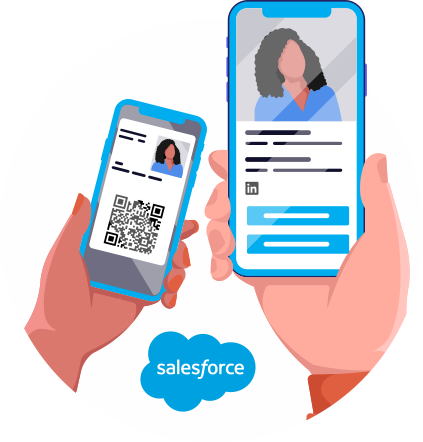
Scan Business Cards and Visiting Cards to Create Salesforce Records
Scan business cards and visiting cards to save them as Salesforce Records.
A robust Salesforce CRM Business Card Scanner that enables teams to scan, convert, and sync business cards and visiting cards to Salesforce. Convert business cards into Salesforce Lead Records in just one scan, eliminating manual data entry for smarter lead management.
No more typing in details or sorting through piles of cards. Get accurate data into Salesforce with a single tap using a reliable business card scanning software.

Bulk Business Card Scan
Scan business cards in bulk, capture accurate details, save photos to Salesforce records, and prevent duplicates with smarter business card scanning.
Salesforce Business Card Scanner Benefits
- You can now use the new Take Photo capture option alongside the existing Camera and Photo Library text scans.
- The App reads your business card directly from the photo at high resolution, with noticeably better accuracy on small print such as email addresses and phone numbers.
- Values are captured exactly as printed from your business card: emails, phone numbers, websites, and postal codes are copied character-for-character from your business card.
- Works on desktop too: you can choose a file or simply drag & drop a card image. The first capture method available outside the mobile app.
Bulk Business Card Scan
- You can take photographs of several cards in a single photo: each of your business cards is detected and processed individually.
- On desktop, you can select or drop multiple images in one go. On your phone, keep snapping to add more business cards.
- A live card list shows each business card's progress: Reading → Ready → Saved, with a clear retry for any unreadable photo. Your one blurry business card never blocks the rest.
- Save your way: you can review each business card in a pre-filled form before saving, or hit Save All to process every remaining business card in one click. Your saved business cards are never duplicated.
Business card photo saved to the record
- You can choose per object in your mapping which records should keep the card image
- Your business card photo is attached as a Salesforce File on the created record, permanent proof of what was scanned, always one click away.
Smarter duplicate prevention
- Matching rules are now re-checked at the moment of saving. Re-scanning your business card updates the existing contact instead of creating a copy.
- New per-rule option "Allow Save When Duplicate Rule Alerts" lets you complete scans even when a Salesforce duplicate alert fires (blocking rules are still respected).
Double Sided Business Card Scan
You can scan a double-sided business card using our business card reader app in Salesforce. Our app ensures you don’t miss any detail when you scan both sides of your visiting card.
Automatically Create Lead, Contact & Account from One Business Card Scan
You can convert a scanned digital business card into multiple Salesforce records by creating a Lead, Contact, and Account. This field mapping ensures your name, company, email, and phone details are saved in the correct Salesforce Object, making it a complete CRM with business card scanner solution.

Automatic Data Merging from Both Sides
You can use advanced OCR to extract text from both images of your business card and automatically merge the data into a single Salesforce record, while preventing duplicate data in your CRM with powerful contact management software capabilities.
Automatically Generate Lead, Contact & Account Instantly
You can generate a Lead + Account, Contact + Account, or just a Lead from a single business card scan. Our App follows your admin-defined logic to support efficient Salesforce lead management.
Smart Record Mapping
You can create a Business Card or Lead record, or you can save your scanned data into any custom object based on your industry workflow. Our app lets you use custom objects to align business card data with your unique business needs and streamline Salesforce contact management.
Supports Multiple Custom Object Creation
You can create a business card, lead record or save your scanned data into any custom object based on your industry workflow. Also, you can use custom objects to align your business card data with your unique business needs using a flexible CRM business card scanner.
Prevent Duplicate Salesforce Records with Matching Rules for Business Card data
Our Salesforce visiting card scanner app integrates with our App’s matching rules to prevent duplicate record creation. It works seamlessly with your Salesforce QR code scanner and other tools to maintain clean records.
Real-Time Duplicate Detection
Easily check your existing Leads, Contacts, and Accounts with real-time duplicate detection before saving new data. This helps prevent duplicate entries and keeps your records clean and organized during every business card scan.
Maintain Clean CRM Data
You can improve your CRM data accuracy and reporting with automated duplicate prevention. Our app helps you avoid duplicate follow-ups and protects your Salesforce data integrity as a reliable Salesforce lead capture app.
Salesforce Business Card Scanner Highlights
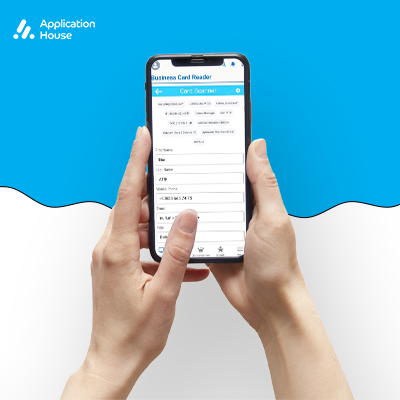
- OCR powered scanning of business cards and visiting cards
- Scan data via Mobile and Smartphone camera or upload from the photo library
- Save details as Leads, Business Card Records, or custom objects
- Manually edit scanned information before saving
- Supports Multilingual business cards
- No code setup Solution
Scan Business Cards and Visiting Cards into Salesforce in seconds

Salesforce Business Card Scanner Benefits
- Quick Business Card Scanning
- Instant Salesforce Lead Record Creation
- Reduce loss of potential leads from misplaced cards
- Hassle-free Lead management
- Eliminate manual entry errors and delays
- Scan business card to Salesforce without extra steps


Salesforce Business Card Scanner Features
01
Scan with Your Mobile and Smartphone Camera
Scan business cards and visiting cards using your iPhone or Android mobile and smartphone camera in the Salesforce mobile and smartphone App.
02
Scan from Photos Gallery
Upload images of business cards, visiting cards, and more from your mobile and smartphone photos gallery and convert them to Salesforce records.
03
Save Records as Leads, Business Card Objects, or Custom Objects
Save scanned data directly into any standard or custom Salesforce object, such as Leads Records, Business Card Records, or other custom objects. Admins can manage and change the default settings at any time.
04
Review & Edit Scanned Data Before Saving
The Business Card Scanner scans all available details like name, email, phone, company, title, website, address, and more. Review, adjust, and modify details before saving them as Records in Salesforce.
05
Multi-language OCR
Advanced OCR technology scans business cards into Salesforce in more than 15 languages. Easily scan cards in any Salesforce supported language, font, or layout without extra translation tools.
06
Manage User Access with Permission Sets
Admins can control and manage which users can view and access client logs using the Salesforce Permission Sets. Ensure data privacy and user access with the Salesforce Business Card Scanner App.
07
Scan with the Salesforce Mobile and Smartphone App
Start scanning business cards and visiting cards instantly by accessing the Salesforce App within the Salesforce Mobile and Smartphone App. It is compatible with iOS and Android devices, allowing you to scan business cards into Salesforce directly from your mobile and smartphone.
08
Developed to Salesforce Standards
The Business Card Scanner App adheres to Salesforce’s highest development standards following PMD rules, ESLint for JS Validation, and CSpell.
09
No Code or Setup Required
Install the Salesforce Mobile and Smartphone App and scan business cards into Salesforce immediately. No code or technical configuration is required.

Get Started
Avail Free Trial & Lifetime Access With On Demand Customization
Get your free lifetime access by starting your free trial today!
Book a free consultation with us for on-demand customization based on business needs!
Start your successful Salesforce journey with us

Salesforce Business Card Scanner FAQs
You can find answers to the most asked questions below. If you still have questions, you can always reach out to us, we’re here to help.
- Is the app Lightning ready?
-
Yes. Your Salesforce Business Card Scanner App works smoothly with Salesforce Lightning Experience and the Salesforce Mobile App, so you can manage everything on the go without any issues.
- Does the app support offline scanning?
-
The Salesforce Business Card Scanner App requires an internet connection to process scans in real time. However, you can take pictures and upload them from your photo library once you reconnect.
- Can I edit data after saving it to Salesforce records?
-
We prioritize understanding Client’s business goals from the outset. Our team works closely with you to ensure that the Salesforce implementation strategy is fully aligned with your objectives, designed to improve efficiency, enhance customer relationships, and drive growth.
- Will I have to grant camera permissions on my phone to use the scanner?
-
Yes. The Salesforce Mobile and Smartphone App will prompt you to grant camera access to scan business cards into Salesforce. Without camera permission, you cannot scan using your mobile camera. However, you can upload business card images from your photo library without camera access.
- Can I also create new Leads manually without scanning a business card?
-
Yes. Besides scanning business cards or badges with the app, you can manually create new Leads in the Salesforce at any time using the standard New button. This lets you enter Lead details without scanning.
- Can I scan vertically oriented business cards?
-
Yes. The advanced OCR technology in the Salesforce visiting card scanner app recognizes both horizontal and vertical card layouts and extracts text accordingly. The app also recognizes Salesforce supported languages across various fonts.
