




Request a Demo
Messaging App
Use SMS, Text & WhatsApp Messenger App for Salesforce Agentforce AI Agent & Automation
Our SMS, Text & WhatsApp Messenger App lets you manage customer conversations, set up instant replies, and send messages directly from Salesforce records. You get Agentforce AI agent integration, marketing automation, bulk and scheduled messaging, multimedia attachments, opt-out management, message templates, notifications, emoji support, and human takeover.
SMS, Text & WhatsApp Messaging With or Without Agentforce AI Agents
As a Salesforce partner, we support you with Agentforce AI licensing, setup, and configuration, so you can unlock advanced automation and get the most out of AI-powered messaging in your Salesforce environment with Agentforce AI Salesforce.
Use Agentforce AI Agent for SMS, Text & WhatsApp Messaging
Agentforce AI Agent configuration
You can configure your Salesforce AI agent based on your workflows and messaging needs. Your AI agents can automatically respond to incoming SMS, Text & WhatsApp messages, helping you reduce manual work and improve response times across sales, support, and marketing.
Agentforce Agent AI ChatBot
You can set up multiple Salesforce Agentforce chatbot instances to manage conversations at scale. This way, your team can focus on important tasks while your AI handles routine interactions.
Human Takeover from Agentforce AI Agent
You can take over conversations from an Agentforce AI agent instantly whenever human intervention is needed, ensuring a smooth customer experience without losing context.
Agentforce AI Agent Session Management
Your Agentforce AI agent sessions organise conversations into clear interaction periods, so you can easily manage ongoing and completed conversations. You control how long AI agents remain active, preventing unnecessary re-engagement while maintaining continuity. Every conversation shows you which AI agent handled it and the session status - giving you complete visibility, ownership, and control.
Agentforce AI Agent Phone Number Assignment
Our AI Messenger App lets you assign and manage multiple business phone numbers for Agentforce AI agents. You control which numbers run on AI and which your Salesforce users handle directly, supporting sales, support, and marketing interactions.
Agentforce AI Agent Salesforce Record Handling
You can have Agentforce AI agents engage in conversations linked to any Salesforce record or start conversations independently. Our AI Messenger App automatically identifies existing records or creates new ones based on your configuration.
Salesforce SMS, Text & WhatsApp Messenger AI Agent & Automation Highlights
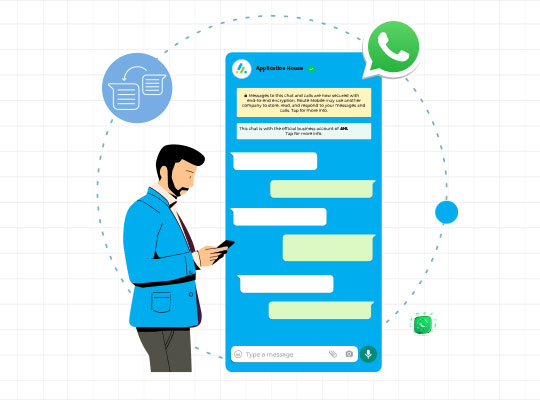
- You can use messaging with or without Agentforce AI agents, with easy human takeover
- You send SMS, Text & WhatsApp messaging directly from any Salesforce record.
- You manage live, two-way conversations inside Salesforce with all messages organised in a central Message Inbox.
- You send bulk messaging from Salesforce List Views, Campaigns, or Reports.
- You maintain consistent communication with reusable, approved templates.
- You can automate and schedule Salesforce SMS based on record changes.
- You easily switch between SMS, Text & WhatsApp channels.
- Our App supports multimedia messaging by letting you attach images, files, or videos to conversations when needed.
- Your communication preferences are respected with built-in opt-out management.
- You receive notifications for incoming messages.
- Enhance your conversations with emoji support.
Elevate Every Interaction with the Advanced Messaging App!
Salesforce SMS, Text & WhatsApp Messaging, AI Agent & Automation Benefits
- You communicate faster with your leads and customers.
- You keep all your conversations organized in Salesforce.
- You save time with automated text message service and templates.
- You reduce your manual work and avoid switching between tools.
- You can ensure secure, authenticated delivery of every message.
- Improve your response rates with preferred channels.
- Scale your outreach with Salesforce bulk messaging in a few clicks.
- You maintain clear visibility into who sent messages and when.
- You can support responsible communication with delivery status and audit history.
- You can scale outreach confidently while keeping control and accountability.
Experience SMS, Text & WhatsApp messaging with or without Agentforce AI agents inside Salesforce
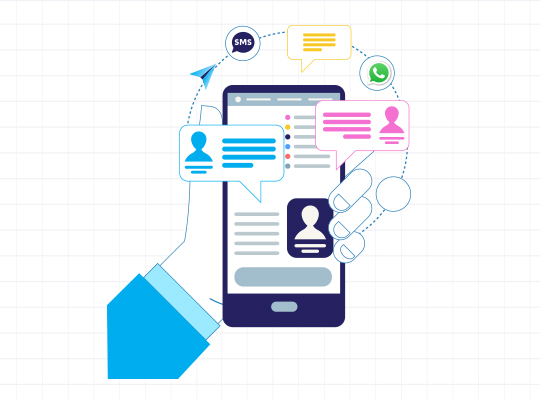
Salesforce SMS, Text & WhatsApp Messenger App Features
01
Conversation History
Our SMS, Text & WhatsApp Messenger App organises your complete message history into clear conversation threads.
02
SMS, Text & WhatsApp Messages Automatically Visible on Salesforce Records
All your SMS, Text & WhatsApp messages are automatically displayed on the related Salesforce record for all users who have been given access. You and your team always see the latest conversation details with no manual sharing required.
03
Conversation View on Salesforce Records and Inbox
Our Salesforce messaging app gives you a simple, chat-style interface so you can manage one-to-one customer conversations directly from Salesforce records or through the Inbox. You can clearly see message timing, delivery status, and whether messages were sent by a user or your AI. You can take over any conversation whenever needed.
04
View Who Sent Each Message
You can easily track who sent each message, whether it was you, someone from your team, your AI, a bulk campaign, or an automated process, giving you full visibility across your communications, especially when using a Salesforce SMS app.
05
Conversation Session
Our App group your messages into conversation sessions, marked as active or expired. You can easily track ongoing and completed customer interactions with full message history.
06
Message Template
You can use pre-approved message templates so you can send consistent and compliant communication that matches your business standards. You can also personalise messages using merge fields, making every interaction more relevant, whether you're using Salesforce WhatsApp integration or SMS.
07
Message Channel
You can communicate with your customers using widely adopted SMS, Text & WhatsApp message channels directly within Salesforce. You get faster timely responses and more effective engagement.
08
Real-Time Message Delivery Status
You can see message delivery statuses - Created, Sent, Delivered, and Read - in real time. All your incoming and outgoing messages are instantly visible to you.
09
Message Opt-Out Management
You configure message opt-out rules once during setup, and our application applies them consistently across all your message types. Your messages respect organisational policies and recipient preferences with no manual record-by-record handling needed.
10
Message Emoji Support
You can use message emojis in both incoming and outgoing conversations to add clarity and tone. Emojis are organised by category with quick search, so you can find the right one without scrolling through endless lists.
11
Send Message Button
You can send messages directly from Salesforce records with a single click using the send message button. You can choose to send messages through a one-to-one conversation view or directly via the button, with optional automatic Salesforce Task creation for follow-up tracking and accountability.
12
Message Inbox on Salesforce Tab
You get a central Message Inbox within Salesforce to manage all your conversations in one place. You can filter messages by channel, Salesforce object, time period, AI agent, and conversation context to prioritise and respond quickly. You can open and pin important conversations, start new messages, and navigate directly to related Salesforce records - all without switching screens. All your Agentforce AI agents are also visible in the Inbox so you can see every conversation each agent has handled.
13
Message Inbox via Salesforce Utility Bar
You have access to the full message Inbox in your Salesforce utility bar. You get all Inbox features from any Salesforce app so you can manage conversations without switching to the Messenger App.
14
Incoming Message Salesforce Notifications
You can enable Salesforce notifications and email alerts for incoming messages, so you and your team never miss important customer conversations.
Automation & AI Automation for SMS, Text & WhatsApp Messaging, Including Marketing Automation
AI Automation for Messaging Using Salesforce Agentforce AI Agent
You can automate SMS, Text & WhatsApp messaging using Salesforce Agentforce AI agents that respond based on record activity and incoming messages, ensuring timely, relevant communication.
Secure API Key Integration to Protect Data
Your Salesforce messaging endpoints and integrations are protected with API key-based access controls. Only approved systems can send SMS, Text & WhatsApp messages and unauthorised requests are blocked.
Salesforce Flow Automation
You can use Salesforce Flow to automate messaging based on record updates, so your messages are triggered only when your defined conditions are met. This works seamlessly with your Salesforce SMS integration to ensure timely communication.
Automation with Salesforce Trigger
You can use Salesforce Trigger automation to send SMS, Text & WhatsApp messages based on specific Salesforce record changes, reducing manual effort and maintain control.
Bulk Messaging
You can send bulk messages to large audiences directly from Salesforce List Views, Reports, or Campaigns. This makes it easier for you to scale your outreach using tools like WhatsApp API Salesforce while keeping track of follow-ups and team accountability.
Schedule a WhatsApp Message, Text & SMS
You can schedule a WhatsApp or Text or SMS message in advance, including recurring communications, and plan outreach that aligns with your business timelines.
Control SMS, Text & WhatsApp Messaging App Features Using Configuration
Email Notification Configuration
You can configure Org-Wide Email for incoming SMS, Text & WhatsApp messages notifications, ensuring your team stays informed.
Salesforce Task Automation
You can optionally enable Salesforce Task Automation to track message activity, so your team gets built-in follow-up tracking and complete visibility into messaging activity.
Salesforce Messaging Phone Number Setup
You can set up trusted phone numbers for SMS, Text & WhatsApp Salesforce messaging that scale with your business.
Salesforce Record Management Configuration
You can configure record management to define how incoming messages are associated with Salesforce records. You can link conversations to existing Salesforce records, use them to create new records, or store them independently without Salesforce record association for review and processing at a later stage.
Salesforce User Configuration for Messaging
You get full control over which Salesforce users can send and receive messages, and how they get notified about messaging activity.
Messaging Session & Conversation Configuration
You configure how messaging sessions and conversations are grouped over time. Your customer interactions stay organised with clear continuity between ongoing and completed conversations.
Salesforce Files, Notes & Attachments, Audit Trail
Multimedia Messaging Attachments
You decide whether multimedia messaging attachments are allowed and which file types are supported. Your attachments are kept visible in conversations and automatically linked to Salesforce records, so everything stays accessible for you.
Salesforce Files & File Preview
You can securely store and preview incoming and outgoing attachments within messaging conversations using Salesforce Files and File Preview. Your attachments are automatically associated with Salesforce records for easy access and continuity.
Salesforce Notes & Attachments
Your message attachments are automatically stored in Salesforce Notes & Attachments, so you always have easy access and complete context for every conversation, whether you're using a Salesforce chatbot WhatsApp setup or standard messaging.
Error Logs
You can review detailed Error Logs that capture messaging failures, delivery issues, and integration problems. You can quickly identify and resolve delivery problems.
Messaging Audit Trail & Message Activity
You get a complete Messaging Audit Trail for every interaction, so you can see who sent each message, when it was sent, its delivery status, and whether it came from a user, automation, or a Salesforce AI chatbot. This helps you maintain full transparency and control over your communication.

The Salesforce Messaging App: Unleash Ultimate Communication
See how SMS, WhatsApp, and Agentforce AI automation work in Salesforce
Start your successful Salesforce journey with us
FAQs
These are the questions we hear a lot and you'll find the answers below. But if you have others, please don't hesitate to contact us - we're here to help.
- How are inbound messages associated with Salesforce records?
-
Incoming messages are automatically matched to the respective Salesforce records. Our system uses the sender’s phone number and message channel to instantly associate incoming messages. All incoming messages are available for viewing in the unified inbox.
- Can I customize message templates?
-
Yes. You have full control to customize and personalize your message templates. By using merge fields, you can pull any specific information from Salesforce record to ensure every message is relevant and personalized for the recipient.
- Are delivery receipts and read statuses available in Salesforce?
-
Yes. The Salesforce Messaging App provides real-time tracking of message statuses, including Sent, Delivered, and Read statuses (when supported by the channel). The Delivery Call URL receives real-time status updates for every outbound message (Delivered, Failed, Read).
- Can I automatically create Salesforce Tasks when sending messages?
-
Yes. You can enable “Create Task when Sending Single Message” in the Application Setup. When active, tasks will be created automatically when you send a message using the “Send Message” quick action.
- How are messages displayed in Inbox and Sent tabs?
-
Messages are sorted by date and time, with the most recent sent or received messages displayed first. If there are multiple messages for the same Account or Contact, the most recent message appears at the top.